

A smarter guide to upgrading your phone without wasting the value of your old one
The new smartphone is already in your basket. But your old one is still in your pocket—or sitting in a drawer with its photos, apps and possibly some trade-in value you have never checked.
Before comparing colours and storage capacities, take a few minutes to assess your current device. Could you trade it in? Would a refurbished model meet your needs? And what will the upgrade really cost once you include accessories, protection and payment terms?
Pixmania France features new and refurbished smartphones, trade-in services, device protection and several payment options. The goal is not to upgrade at any cost; it is to make a more considered purchase.

STEP 1 — IDENTIFY WHAT ISN’T WORKING
A smartphone does not need replacing simply because a newer model exists. Start by identifying what is actually frustrating you.
- BATTERY — Does it struggle to last through the day? Check battery health and the potential cost of a replacement.
- CAMERA — Are your photos missing sharpness, versatility or low-light quality? Compare the features that matter for the way you shoot.
- STORAGE — Are you constantly running out of space? Check what is using memory and whether better organisation or more storage would solve the problem.
- PERFORMANCE — Are apps slow or updates no longer available? Check software support and repair options.
- USAGE — Do you mainly message and browse, or do you also film, game, work and create content?
This list becomes your buying brief. It helps you avoid paying for impressive features you are unlikely to use.
STEP 2 — PUT A VALUE ON YOUR OLD DEVICE
Your current phone could help fund the next one. Pixmania offers a trade-in service: depending on the displayed terms, the value may be paid by bank transfer, credited to a Pix wallet or used as a discount on a purchase. The site also promotes options where a guaranteed future trade-in value is deducted at purchase, subject to conditions.
Before confirming, check the exact model, storage capacity, cosmetic and working condition, required accessories and trade-in terms. Do not build your budget around an estimate until you understand the conditions that apply to your device.
Prepare the phone before sending it: back up your data, transfer photos and contacts, sign out of accounts, disable relevant location locks if needed, and factory-reset the device once the transfer is complete.
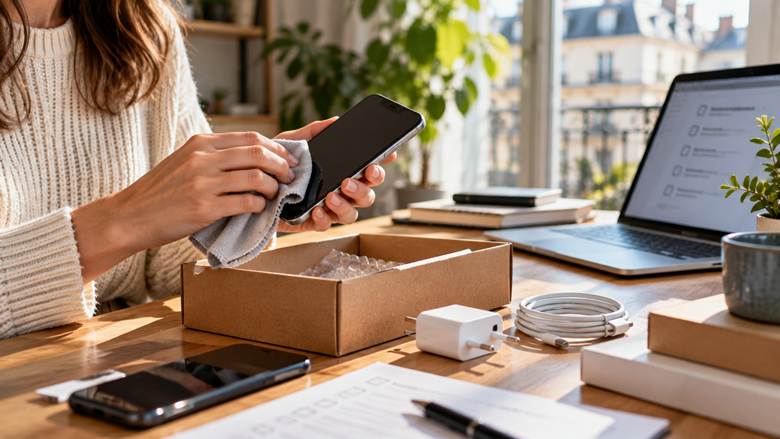
STEP 3 — NEW OR REFURBISHED? CHOOSE FOR YOUR NEEDS
A refurbished device may offer stronger specifications for a more manageable price, but read the product listing as carefully as you would a contract—not just as a price tag.
Condition
Check the cosmetic grade, signs of wear and the condition described by the seller.
Battery
Look for information about battery health or the seller’s testing criteria. Do not assume every seller uses the same threshold.
Accessories
Check whether a charger, cable or other accessories are included and whether they are original or compatible.
Seller
On a marketplace, the seller and the conditions attached to the offer may vary from listing to listing.
Warranty and returns
Read the exact listing and applicable terms. In France, the legal guarantee of conformity generally applies to new and refurbished goods for two years, with specific rules concerning the presumption that a defect existed at delivery.
Pixmania says it offers more than 100,000 new and refurbished products through European sellers it describes as certified. Still, check the warranty, delivery and return terms attached to the specific offer you choose.
STEP 4 — COMPARE THE TOTAL COST, NOT JUST THE MONTHLY PAYMENT
A monthly payment can make a purchase easier to plan, but it does not tell you the full amount you will pay. Pixmania lists options that can include paying upfront, paying in instalments and, for eligible offers, renting. Availability and eligibility vary. Credit must be repaid, so review the contractual terms carefully.
Before choosing, write down:
- The full price of the phone.
- The trade-in value and the conditions attached to it.
- Delivery costs and any essential accessories.
- The cost of optional protection or an extended commercial warranty.
- The total amount payable, any fees and the length of the finance agreement.
- The conditions at the end of a rental agreement, if applicable.
Compare offers on the same basis. A low monthly payment may come with a longer term, conditional trade-in or extra fees that deserve attention before you commit.
STEP 5 — PROTECT THE PHONE YOU DECIDE TO KEEP
Once you have chosen a device, do not let accessories and protection become last-minute expenses. Check case and screen-protector compatibility, charger power, connector type and storage capacity. If you consider extra protection, read exactly what it covers, its exclusions, any excess or deductible, and the process for making a claim.
Pixmania offers Pixcare for certain eligible smartphones alongside legal guarantees. The benefits and conditions depend on the offer and contract, so compare them with your needs rather than assuming paid protection is essential.
THREE MISTAKES TO AVOID
Buying before checking the trade-in value
You may underestimate your available budget or leave an old device unused.
Trusting the headline price alone
Condition, seller, accessories, delivery, warranty and returns matter too.
Forgetting your personal data
Back up, transfer, sign out and securely reset your old phone before handing it over.
THE CHECKLIST BEFORE YOU CLICK ‘ORDER’
- I have identified the real problem my next phone needs to solve.
- I have checked the trade-in value and conditions for my old device.
- I have compared new and refurbished options with similar specifications.
- I have checked the seller, condition, warranty and return terms.
- I have calculated the total cost—not just the monthly payment.
- I have planned how to transfer and erase my personal data.
THE SMARTER MOVE
Changing smartphones can be an opportunity to consume more thoughtfully: choose a device that fits your needs, give your old phone another life and check the terms before paying. The best purchase is not necessarily the newest model. It is the one that meets your needs at a cost you understand.
READY TO PLAN YOUR NEXT UPGRADE? EXPLORE NEW AND REFURBISHED SMARTPHONES AT PIXMANIA →
Affiliate Disclosure
This article contains an affiliate link. If you make a qualifying purchase through the link, we may earn a commission at no additional cost to you.