

Use Planner 5D to test the room before you change the room
The sofa looks perfect online. The rug is exactly the right shade. The dining table has hundreds of glowing reviews. Then everything arrives—and suddenly the living room feels cramped, the walkway is awkward, and the table blocks the drawer you use every day.
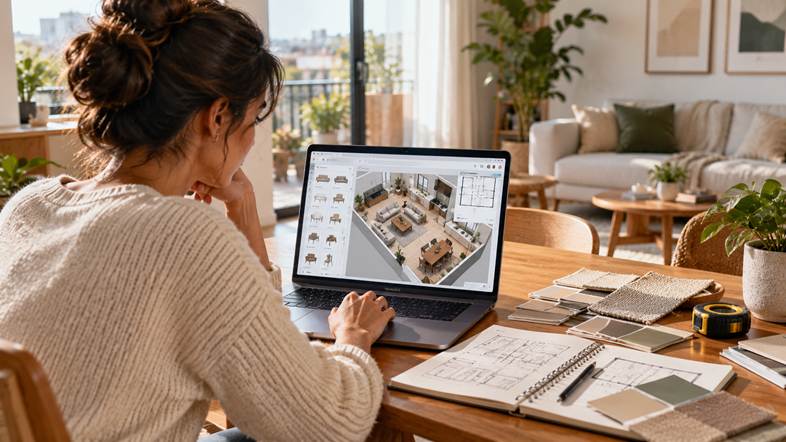
The problem wasn’t necessarily the furniture. It was buying before testing the space. Planner 5D gives you a way to map a room, place furniture and explore the layout in 2D and 3D before making real-world changes. Its AI tools can also help generate room ideas from a photo, floor plan or prompt.
THE ROOM HAS TO WORK BEFORE IT HAS TO LOOK GOOD
Interior inspiration usually starts with colour palettes and beautiful rooms. Real-life design starts with the unglamorous questions: Can you open the door? Is there room to pull out a chair? Can two people pass each other? Does the desk fit where the power outlet is?
A digital layout makes those practical questions visible early. It will not replace accurate measurements or a professional’s advice for structural work, but it can help you test different arrangements before spending money.
THE 20-MINUTE ROOM TEST
Try this before buying a large piece of furniture or starting a room makeover:
- MEASURE — Note the room’s length, width, doors, windows, radiators and fixed features.
- MAP — Build a floor plan from scratch or upload an existing plan if you have one.
- PLACE — Add the biggest items first: bed, sofa, dining table, wardrobe or desk.
- MOVE — Test two or three arrangements instead of committing to the first idea.
- WALK — Check whether the main routes through the room feel clear.
- COMPARE — Save the best versions and review them side by side before shopping.
Planner 5D supports projects created from scratch, templates and uploaded plans. Its help centre explains that an uploaded floor plan can be converted into an editable project, while its editor lets users design in 2D and 3D.
DESIGN FOR YOUR ACTUAL LIFE, NOT THE MOOD BOARD
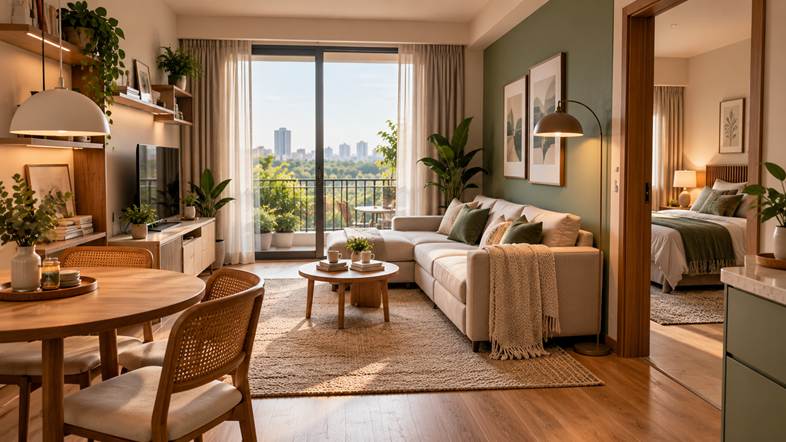
A room can look beautiful in a photograph and still be wrong for the people who live there. Before selecting a style, list what the room needs to do.
- SMALL APARTMENT — Prioritise storage, flexible furniture and unobstructed walkways.
- SHARED LIVING ROOM — Leave enough space for people to sit, move and use the room together.
- WORK-FROM-HOME CORNER — Check desk depth, chair movement, lighting and access to outlets.
- BEDROOM RESET — Test bedside access, wardrobe doors and the path around the bed.
- RENTAL MAKEOVER — Explore movable furniture, lighting and colour accents before considering permanent changes.
Planner 5D’s catalogue includes thousands of furniture and décor items, and its platform supports changing colours, materials and layouts as a design evolves. The company says its library contains more than 8,000 items.
WHEN AI HELPS—AND WHEN YOUR EYE SHOULD TAKE OVER
AI can be a useful starting point when you know the mood you want but not how to get there. Planner 5D’s AI interior-design tools can generate concepts, suggest layouts and styles, and help users experiment with materials and furniture arrangements.
Use those ideas as options, not instructions. AI-generated visuals can be inspiring, but you still need to verify dimensions, clearances, product sizes, electrical needs and practical constraints. A photorealistic render is not a guarantee that every item will fit in your real room.
THE THREE-VERSION RULE
Before you settle on a layout, make three versions:
- VERSION A — The safest option: keep most of what you already own and improve the arrangement.
- VERSION B — The functional option: prioritise storage, movement and everyday routines.
- VERSION C — The aspirational option: explore the style you want, then see what is realistic.
Comparing versions helps separate what you genuinely need from what simply looks exciting in isolation. It may reveal that moving the sofa or changing the rug gives you most of the effect you wanted—without buying a whole new room.
WHAT PLANNER 5D CAN ADD TO THE PROCESS
- 2D and 3D design — work on the plan, then view the room in three dimensions.
- Furniture and décor catalogue — test different pieces, colours and finishes.
- AI assistance — explore ideas or generate room concepts from an existing photo or plan.
- Visualisation — create realistic renders to help communicate the intended result.
- Cross-device workflow — work across supported desktop and mobile platforms.
Planner 5D offers a free Basic plan with limited catalogue items and features; paid Premium and PRO plans unlock more customization, AI recognition, renders and professional tools. Plan features differ by platform, so check the current plan details before subscribing.
DON’T LET A FREE TRIAL BECOME AN ACCIDENTAL PURCHASE
If you want to try premium features, read the trial and renewal terms first. Planner 5D says trials vary by platform, subscriptions are auto-renewable, and cancellation must be completed at least 24 hours before renewal to avoid a renewal charge. Confirm the exact terms shown in your app or checkout before activating a trial.
THE BEFORE-YOU-BUY CHECKLIST
- Have I measured the room and the furniture accurately?
- Can I open doors, drawers and cupboards without collisions?
- Is there a clear route through the room?
- Have I compared at least two layouts?
- Does the plan suit the way I actually use the space?
- Have I checked the software plan and renewal terms before paying?
THE BOTTOM LINE
A good room is more than a collection of attractive products. It is a layout that works every morning, every busy evening and every ordinary day in between. Planner 5D can help you experiment with the room on screen before committing to expensive changes in real life.
READY TO TEST YOUR NEXT ROOM BEFORE YOU BUY? TRY PLANNER 5D →
Affiliate Disclosure
This article contains an affiliate link. If you sign up or purchase through the qualifying link, we may earn a commission at no additional cost to you.